guide / updated August 2026
How to export Apple Health data: every way that actually works.
Your iPhone and watch have years of health data, and Apple gives you exactly one way to get it out. This guide covers that way honestly, then the ways around its limits: CSV, scheduled exports, your own server, and live access for AI agents. We build one of the apps mentioned below and will say so when it comes up.
1. Apple's built-in export (free, one big XML file)
- Open the Health app
- Tap your picture or initials, top right
- Scroll down, tap Export All Health Data, confirm
- Wait (minutes, for years of data), then share the
export.zip
Inside is export.xml: every sample Apple has, which is the good part. The rest is the catch. It is one file that can run to gigabytes, it is XML rather than anything a spreadsheet opens, there is no way to schedule it, no way to export one metric, and no way to get only what changed since last time. It is a full backup, not a pipeline. For a one-off archive, it is fine, and it costs nothing.
2. Getting CSV instead
Two routes. You can convert the XML dump with a script (searching "apple health xml to csv" turns up plenty, including Python one-liners), which works but leaves you re-exporting the whole archive every time. Or use an app that reads HealthKit directly and writes CSV per metric. Marrow (ours, free) exports CSV, JSON and GPX through the share sheet, one metric or all of them; Health Auto Export does manual CSV free and puts automation behind a subscription.
3. There is no Apple Health server API
Worth stating plainly, because it is the thing people go looking for: HealthKit is on-device only. There is no cloud endpoint, no OAuth, nothing your server can call. Whatever leaves the phone leaves because an app on the phone sends it. So "automated export" always means an app with background access pushing data somewhere you choose.
That constraint is also the privacy upside: nothing leaves unless you install something that sends it, and you can see exactly where it goes.
4. Scheduled, automated export
For dashboards, Home Assistant, n8n, or your own database, you want pushes on a schedule to a URL you name. Marrow does this free, with background sync, so exports run with the app closed. Health Auto Export pioneered the category and does it well, but scheduling and background delivery are Premium features, and its automations are known to stall when the app is not foregrounded. Both send JSON or CSV to any webhook.
5. A complete mirror on your own hardware
The strongest form of ownership: a live copy of everything on a machine you control. Marrow pairs with a self-hosted server (one Python file, MIT licensed) on a Pi, NAS or old laptop. The phone keeps it current in the background; the mirror is SQLite, so it is queryable directly.
6. Letting an AI agent read it (MCP)
The newest option, and for many people the actual goal: not files, but an assistant that can answer "how did my sleep change when I started morning training?" from real data. That works over MCP (Model Context Protocol). Marrow runs an MCP server on the iPhone itself, free, six read-only tools; the self-hosted mirror speaks MCP too, so agents can query it while the phone sleeps. Health Auto Export ships an MCP server as well, and got there first, but it requires Premium. Setup for Claude, Cursor or any MCP client: the two-step guide.
Workouts and routes: ask for GPX
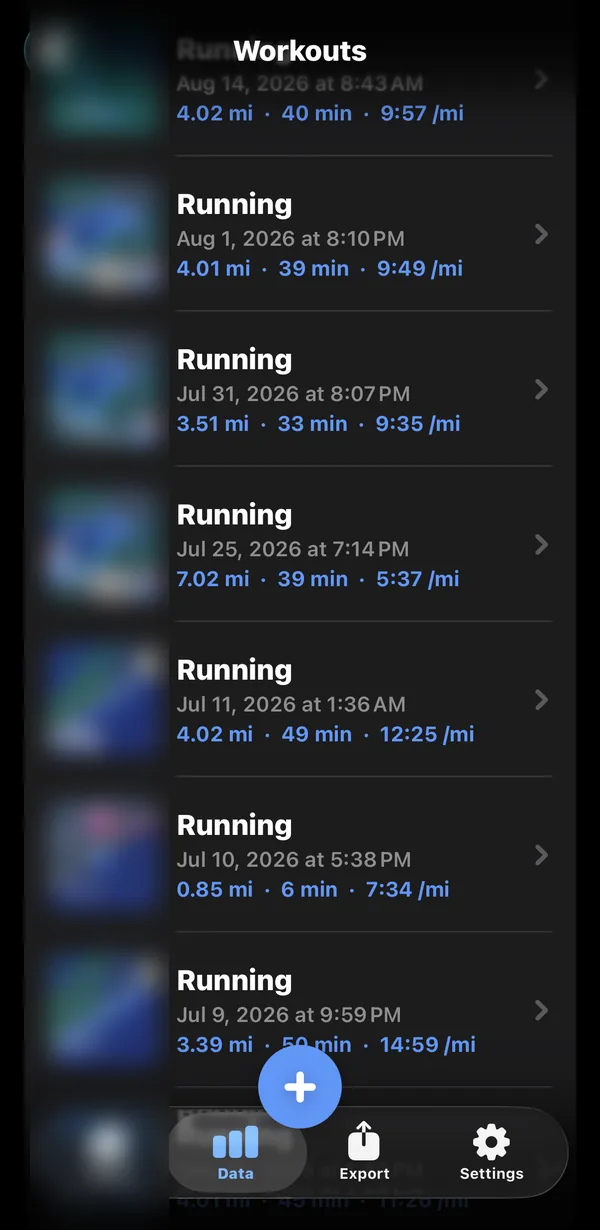
Workout GPS routes deserve a special mention because Apple's XML dump includes them as separate GPX files, one per workout, buried in the archive. If you want routes for one run rather than an archaeology project, export GPX per workout from an app instead. Marrow shows every workout with its route and shares GPX on demand.
Set-by-set strength detail is similar: it exists in HealthKit, most exporters flatten it away, and it is worth checking any tool you pick preserves what you care about.
The honest comparison
| Built-in export | Health Auto Export | Marrow | |
|---|---|---|---|
| Price | Free | $2.99 to $24.99; automation and MCP are Premium | Free |
| Format | One XML archive (+ GPX inside) | CSV, JSON | CSV, JSON, GPX |
| Scheduled push | No | Premium | Free |
| Runs in background | Manual only | Foreground-dependent | Yes |
| Self-hosted mirror | No | No | Free, open source |
| AI agents (MCP) | No | Premium | Free, on device |
| Best for | A one-off full archive | Established exporter, wide format options | Ongoing pipelines and agent access |
Figures checked against each vendor's own pages in August 2026. If something here has gone stale, tell us and we will fix it; being the accurate page is the whole strategy.
The short version
- One-off archive: use Apple's built-in export, cost nothing, tolerate the XML.
- CSV, ongoing: use an exporter app; check what its free tier actually includes.
- Your own database or dashboard: scheduled webhooks or a self-hosted mirror.
- An AI that knows your health: MCP, which is two steps in Marrow and free.