On the App Store / 1.3 / iOS 17+ / free
All your health data. One place. Connects to your AI. Completely Free.
178 data metrics, no account or subscription required. Optional Pro tier.
Get started.
Give this to your AI and it takes you the whole way, from not having the app to asking your first question.
I want to connect my own Apple Health data to you. Marrow is a free iOS app that serves it over MCP, with no account and no subscription. It is on the App Store: https://apps.apple.com/app/id6800819435. Walk me through the whole thing: installing the app, turning the server on under Export then Local MCP, and adding the URL and bearer token it shows me to your MCP config as a Streamable HTTP server. If you cannot edit that config yourself, tell me the exact file and what to paste. Setup docs: https://skeletonarmy.tech/marrow/mcp. When it is connected, call health_summary for the last 7 days and tell me what stands out.
free · iOS 17+
get it on the App Store
GitHubskeletonarmytech/marrow-mcp
server + extension, MIT
PyPIpip install marrow-mcp
self-host in one command
MCP Registrytech.skeletonarmy/marrow
agents find it on their own
Claude Desktopmarrow.mcpb
one download, one double-click
Setup guideskeletonarmy.tech/mcp
every client, step by step
Your health data shouldn't be a subscription.
What your own devices record about your body shouldn't rent for a monthly fee, and it should never cost money to get back out. Here is what everyone else charges for, checked against each vendor's own pricing page in August 2026.
| Marrow | Health Auto Export | MyFitnessPal | Apple Health | |
|---|---|---|---|---|
| Price | Free · Pro optional | $2.99 Basic · $6.99/yr · $24.99 lifetime | $19.99/mo · $79.99/yr | Free |
| Health metrics | 178 | 150+ | Nutrition and activity only | Everything |
| AI agent access (MCP) | Free | Premium only | None | None |
| Automated export | Free | Premium only | None | None |
| CSV / JSON export | Free | Free (manual) | Premium only | One manual XML dump |
| Barcode scanning | Free | Not a logging app | Premium only | None |
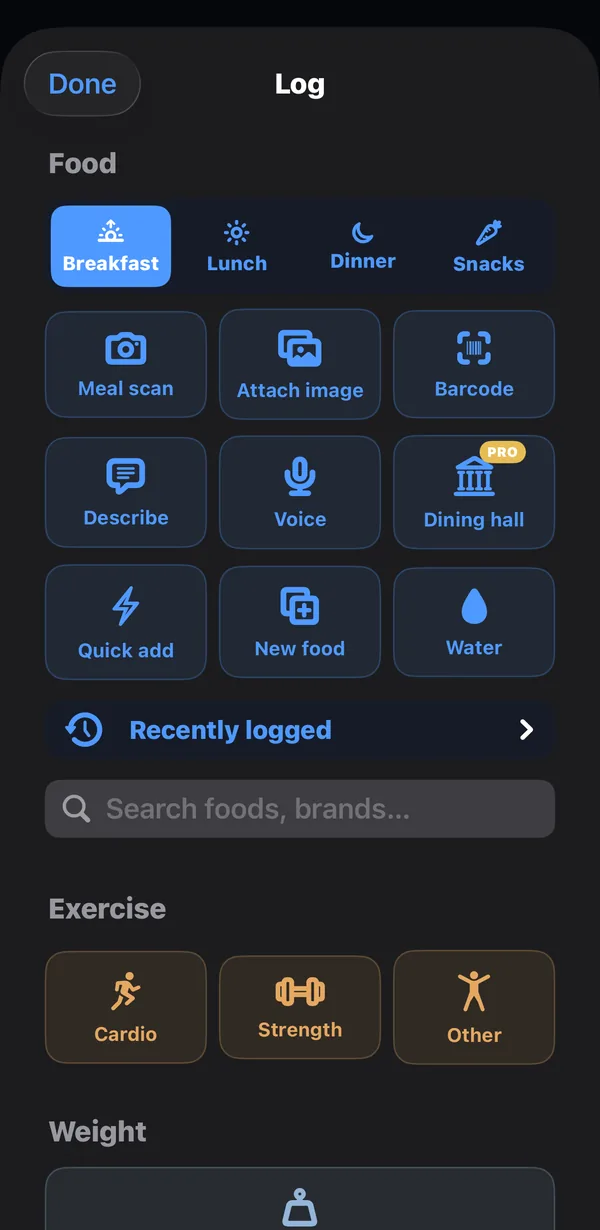
| Food & workout logging | Free, 39 nutrients | None | Free tier, limited | Manual entry only |
| Account required | No | No | Yes | No |
| Ads | None | None | On the free tier | None |
Sources: the Health Auto Export App Store listing and its MCP prerequisites; MyFitnessPal's pricing page and its export documentation. MyFitnessPal free accounts can still request a data download under GDPR/CCPA; the in-app CSV export is the Premium feature. Health Auto Export is a genuinely good app and got to MCP before we did. The difference is who has to pay for it.
Most health apps read a dozen things. Marrow reads everything.
Your watch, ring, scale and phone have been recording for years, and almost none of it is visible in an app you would actually open. Every dot below is one data series Marrow tracks: 172 straight from Apple Health, and six of Marrow’s own (the meal diary and five strength series).
- Nutrition4339 nutrients, glucose, insulin
- Symptoms39the complete HealthKit set
- Activity30steps, power, cadence, daylight
- Cycle14reproductive health
- Heart12HR, HRV, BP, events
- Body11mass, composition, temperature
- Mobility8speed, asymmetry, steadiness
- Respiratory7SpO₂, VO₂max, spirometry
- Hearing5exposure and events
- Marrow-native6meal diary + five strength series
- Habits2handwashing, toothbrushing
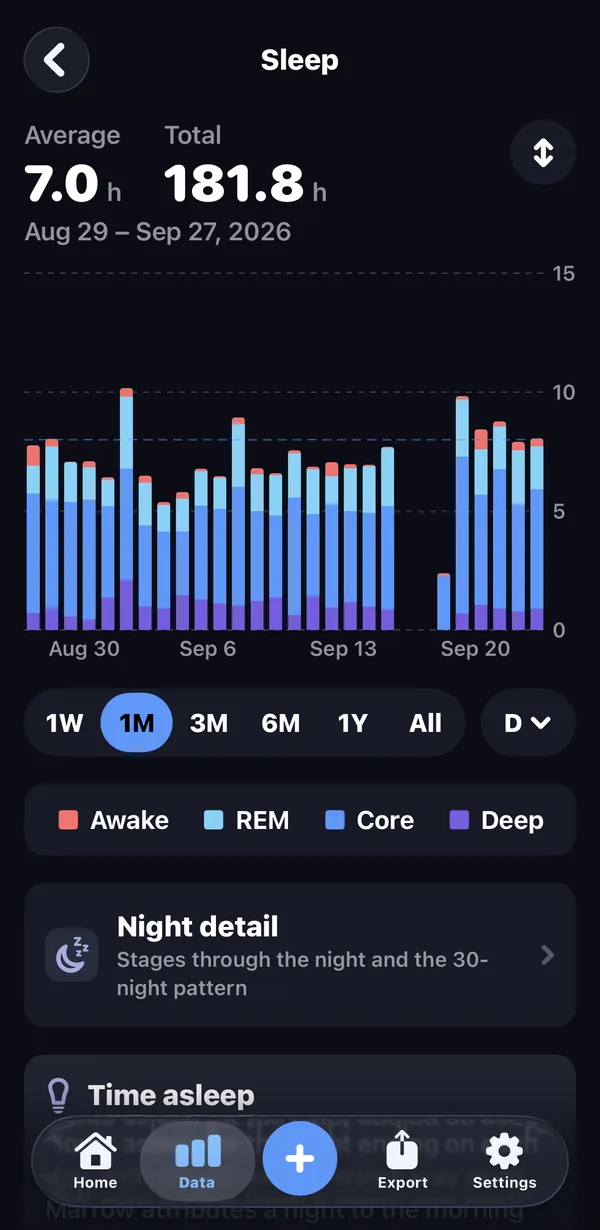
- Sleep1one stream, every stage
And the ones Apple never records at all.
HealthKit stores that you did a strength workout. It does not store that you benched 155 for five, so Marrow keeps that itself, and treats it like every other number here.
Progress, per exercise
Estimated 1RM, heaviest set, or session volume, charted for every lift you have actually performed. Personal bests with dates, and how far you have come since your first session.
A body map that tells the truth
Every set is credited to the muscles it trained, primaries fully and secondaries by half, over 7 and 30 days. It is very good at showing you what you have quietly been skipping.
It leaves with you
Set-level CSV, or JSON carrying per-exercise progression and per-muscle volume. Schedule it to your own server, mirror it to hardware you own, or let an agent read strength_log directly.
Five ways in. Four of them free.
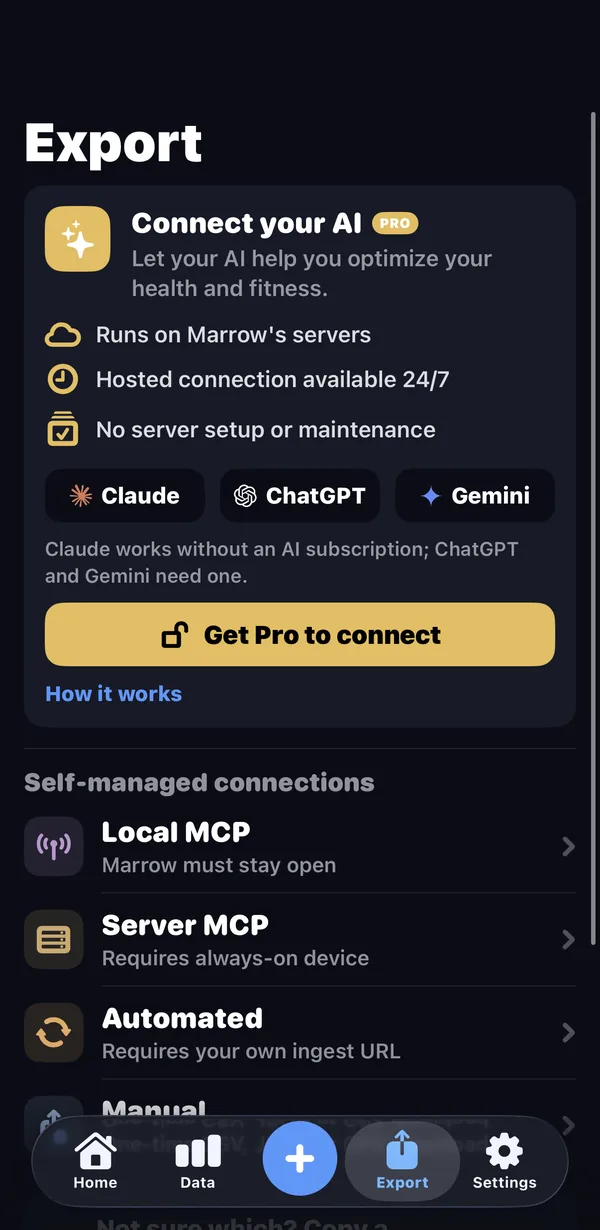
Local MCP
Your assistant queries the phone. Seven read-only tools, one paste to pair.
Automated
Scheduled pushes to any URL you name. Runs with the app closed.
Server MCP
One Python file, on hardware you own. It speaks MCP too.
Manual files
CSV, JSON and GPX on demand. No tier check, no email-me-a-zip.
The screenshot is the app's actual Export tab. The four free doors are below; the fifth, Connect your AI, is the Pro one: we host the mirror so ChatGPT, Claude or Gemini can read it while the phone is in your pocket, with every sign-in approved from the phone.
Bearer-token auth, local network only. The server is off until you turn it on. Setup, with the config to paste →
Privacy is the architecture, not a setting.
Your health data cannot leak from a server we don't have. No account to breach, no ads to feed, no health data in any analytics. The one server copy that can exist is the optional Connect your AI mirror, and it lives exactly as long as you leave it on. The only things that ever leave your phone are the ones you deliberately send, and the privacy policy commits to every word of that in plain language.
No sign-up, ever
Nothing to create, nothing to verify, no password to lose.
Your data goes where you send it
CSV, JSON, your server, your webhook. The destinations are yours; there is no default that phones home.
What happens to a food photo
AI logging is the only feature that sends anything out: a meal photo (re-encoded first, so location, camera and timestamp stay behind), a typed line or a voice clip, and nothing is kept once the food is identified. A barcode or search term goes to Open Food Facts with nothing attached. Manual entry never leaves the phone at all.
It all stays on the phone.
There is no Marrow account and no Marrow login. The database lives on your iPhone; the only server copy is the optional Connect your AI mirror, deleted the moment you turn it off. Every statistic, baseline and trend is computed there.
Works with what you already own.
Anything that writes to Apple Health shows up in Marrow, which is nearly everything. An iPhone on its own is already enough. You probably don't need to buy a thing.
- Apple Watch
- OURA
- Eight Sleep
- Peloton
- Strava
- Nike Run Club
Every logo belongs to its owner. Marrow is not affiliated with or endorsed by any of them; the list is simply what writes into Apple Health.
Get Marrow.
iOS and Apple Health required. Free, no account, no card.